

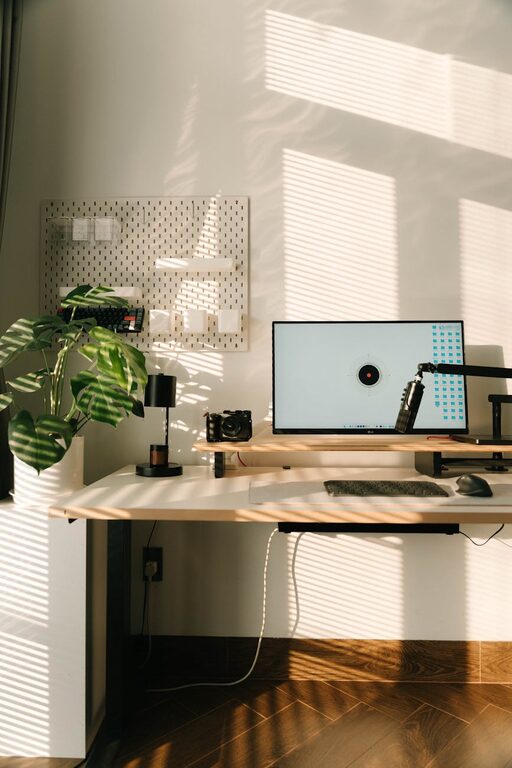
Creating a cozy and functional home office is essential for anyone working remotely or spending significant time on personal projects. A well-designed workspace can enhance comfort, boost productivity, and reduce stress. Whether you’re starting from scratch or optimizing an existing setup, these tips will help you create a space that feels welcoming and works well for your needs.
Choose the Right Location
Assess Your Space Options
Start by selecting a quiet, well-lit area in your home that minimizes distractions. Ideally, choose a room or corner away from high-traffic areas like the kitchen or living room. Natural light is a major plus, so try to position your desk near a window if possible.
Consider Privacy and Noise Control
If noise is a concern, think about using noise-canceling headphones or adding soundproofing elements such as rugs, curtains, or wall panels. Creating some separation from the rest of the home will help establish a dedicated work zone.
Focus on Ergonomics
Invest in a Good Chair and Desk
Comfort is key for long work sessions. Opt for an adjustable office chair that supports your back and encourages good posture. Pair it with a desk at the right height—neither too tall nor too short—to avoid strain.
Set Up Your Monitor and Accessories Properly
Position your computer screen at eye level, about 20–30 inches from your eyes, to reduce neck and eye strain. Use external keyboards and mice if you’re working on a laptop to maintain a natural hand position.
Lighting Matters
Maximize Natural Light
Natural light helps reduce eye fatigue and improves mood. Open blinds or curtains to let sunlight in, but avoid glare on your screens by using sheer curtains or positioning screens perpendicular to windows.
Add Layered Lighting
In addition to natural light, use a combination of task lighting (like a desk lamp) and ambient lighting (such as overhead lights or floor lamps) to create a balanced environment. Adjustable lamps with warm bulbs can enhance coziness.
Organize and Declutter
Use Smart Storage Solutions
Keeping your workspace tidy promotes focus. Use shelves, filing cabinets, or storage bins to organize papers, supplies, and devices. Label containers for easy access to essentials.
Limit Desk Clutter
Only keep daily necessities on your desk. Store away items that aren’t frequently used to maintain a clean surface. A clutter-free desk encourages a clear mind.
Personalize Your Space
Add Comforting Elements
Incorporate personal touches like plants, photos, or artwork to make the space inviting. Plants not only add life but can improve air quality and reduce stress.
Choose Soft Textiles
Throw blankets, cushions, or a cozy rug can make your office feel warmer and more comfortable. These small touches contribute to a pleasant atmosphere without crowding the area.
Incorporate Functional Technology
Reliable Internet and Power Setup
Ensure your workspace has a stable internet connection and sufficient power outlets. Consider cable organizers to avoid tangled cords.
Use Helpful Accessories
Items like a wireless charger, printer, or a second monitor can streamline your workflow. Choose tools that enhance productivity without adding clutter.
Establish a Routine and Boundaries
Define Your Work Hours
Having clear work hours helps maintain a healthy balance between work and personal life. Inform household members of your schedule to minimize interruptions.
Take Breaks and Move Around
Incorporate regular breaks to stretch or take short walks. A comfortable workspace invites you to stay productive, but movement is essential to avoid fatigue.
—
Creating a home office space that is both cozy and functional doesn’t have to be complicated. By focusing on comfort, organization, good lighting, and personal touches, you can build an environment that supports your work style and well-being. Whether you have a dedicated room or a small corner, the right setup can make all the difference in your work-from-home experience.