

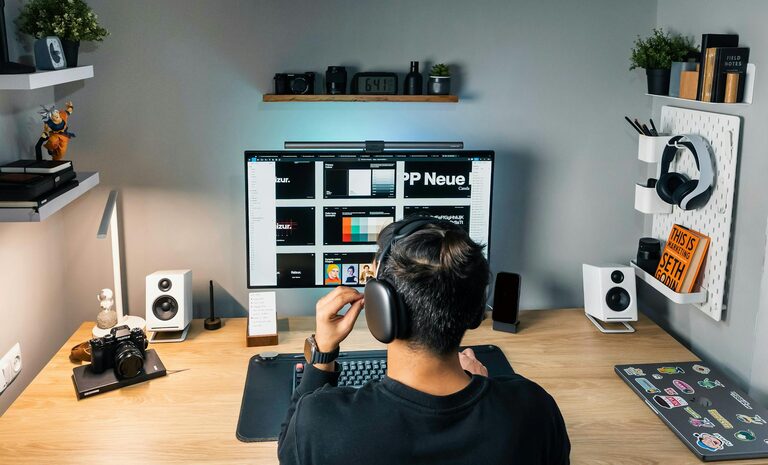
Creating a home workspace that is both relaxing and productive can significantly improve your work experience and output. Whether you’re working remotely full-time or just occasionally, a well-designed area tailored to your needs can make all the difference. This guide will walk you through practical tips for setting up a space that helps you focus, reduces stress, and keeps you comfortable.
Why Having a Dedicated Workspace Matters
Having a specific area reserved for work helps your brain distinguish between “work mode” and “relax mode.” This separation is important for maintaining productivity and avoiding burnout. Additionally, designing a workspace that feels calm encourages focus and creativity.
Choosing the Right Location in Your Home
Prioritize Natural Light
Position your desk near a window if possible. Natural light improves mood, energy levels, and reduces eye strain. If natural light is limited, invest in good quality task lighting.
Minimize Noise Distractions
Look for a quiet corner or room away from household traffic and loud appliances. Using noise-canceling headphones or sound-absorbing décor can help maintain concentration.
Consider Privacy and Comfort
Your workspace should allow you to have some privacy for calls or intense focus periods. It’s equally important the space feels inviting, so you don’t dread sitting there.
Ergonomic Setup for Long-Term Comfort
Invest in a Good Chair
Choosing a chair with proper lumbar support can prevent back pain. Adjustable height and armrests are also beneficial to find your ideal sitting position.
Desk Height and Screen Placement
Your desk should allow your arms to rest comfortably at about a 90-degree angle while typing. Your monitor should be at eye level to avoid neck strain.
Keyboard and Mouse Positioning
Place these tools close enough so that your elbows stay close to your body. Consider ergonomic keyboards and wireless mice to reduce clutter.
Organizing Your Workspace
Declutter Regularly
A tidy desk reduces distractions and enhances focus. Keep only essential items on your desk to maintain a clean environment.
Use Storage Solutions
Drawers, shelves, and organizers can help keep papers and supplies neat. Labeling storage makes it easier to find things quickly.
Manage Cables
Use cable organizers or clips to keep cords neat and prevent tangling. A clutter-free desk can also make your space feel more relaxing.
Adding Personal and Relaxing Touches
Include Greenery
Plants not only beautify your space but also improve air quality and provide a relaxing vibe. Easy-care plants like succulents or spider plants are great options.
Personalize Tastefully
Add photographs, artwork, or objects that inspire you. However, avoid overcrowding your space to keep it serene.
Use Soothing Colors
Soft and neutral tones like blues, greens, and light grays can reduce stress and help maintain calmness.
Establishing Healthy Work Habits
Set Clear Boundaries
Define work hours and stick to them to avoid overworking. When you finish, leave your workspace if possible to mentally “sign off” from work.
Take Breaks and Move
Incorporate short breaks to stretch and rest your eyes. Movement improves circulation and helps maintain focus for longer periods.
Stay Hydrated and Nourished
Keep a water bottle at your desk and have healthy snacks available. Staying hydrated and fueled supports concentration.
Technology Tips
Invest in Reliable Equipment
A fast computer, stable internet connection, and good-quality headset or microphone improve efficiency and communication.
Use Software That Boosts Productivity
Task managers, calendar apps, and focus timers can help organize workload and maintain momentum throughout the day.
Keep Technology Ergonomic
Position screens to avoid glare and use adjustable stands if needed. Software that adjusts screen brightness or blue light can also ease eye strain.
Final Thoughts
Designing a home workspace that balances relaxation and productivity is about merging comfort with function. By choosing the right space, organizing thoughtfully, and adopting good routines, you can create an environment that supports your best work and wellbeing. Small changes add up, so start with a few tips that resonate with you and adjust as you go. Your ideal home office is within reach!