

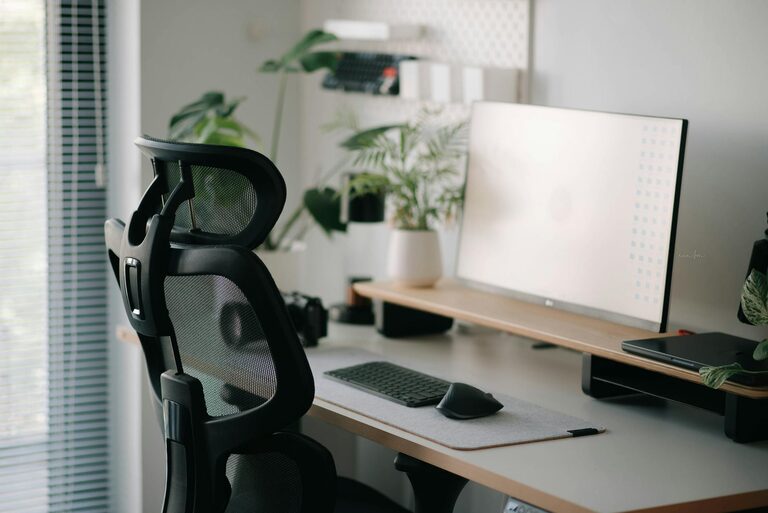
Creating a productive home office environment is essential for anyone working remotely or managing tasks from home. A well-organized, comfortable, and distraction-free workspace can greatly improve focus, efficiency, and overall work satisfaction. Whether you are new to remote work or looking to enhance your current setup, these tips will help you transform your home office into a space that supports your best work.
1. Choose the Right Location
Finding the ideal spot for your home office is the first step toward productivity. Consider the following:
– Quiet area: Select a space away from noisy household activities to minimize distractions.
– Natural light: Position your desk near a window if possible, as natural light improves mood and alertness.
– Dedicated space: Even a small corner or a separate room solely used for work can help establish boundaries between professional and personal life.
2. Invest in Ergonomic Furniture
Comfort during work hours is crucial for long-term productivity.
– Ergonomic chair: Choose a chair that supports good posture and reduces strain on your back and neck.
– Desk height: Ensure your desk allows your forearms to rest comfortably parallel to the floor.
– Monitor positioning: The top of your computer screen should be at or slightly below eye level to avoid eye and neck strain.
3. Maintain Good Lighting
Proper lighting reduces eye fatigue and maintains energy levels.
– Layer lighting: Use a combination of ambient, task, and natural lighting.
– Avoid glare: Position screens to prevent reflections from windows or lamps.
– Use adjustable lamps: A desk lamp with adjustable brightness helps tailor lighting to your needs throughout the day.
4. Organize Your Workspace
Clutter and disorganization can hinder focus and efficiency.
– Declutter regularly: Remove unnecessary items to keep your desk tidy.
– Use storage solutions: Utilize drawers, shelves, or filing cabinets to organize documents and supplies.
– Keep essentials close: Store frequently used items within reach to minimize interruptions.
5. Set Up Technology Thoughtfully
Reliable technology is the backbone of remote work.
– Stable internet connection: Ensure your Wi-Fi or wired connection supports your work requirements.
– Quality peripherals: Invest in a good keyboard, mouse, and headphones to improve comfort and communication.
– Backup power: Consider a surge protector or uninterruptible power supply to protect your devices.
6. Personalize Your Space
Adding personal touches can make your workspace more inviting and motivating.
– Decorate with care: Use artwork, plants, or photos that inspire you without causing distractions.
– Comfort items: A cozy blanket or a supportive pillow can make the environment more pleasant.
– Scent and sound: Use subtle scents or background music to create a calming atmosphere if it helps your focus.
7. Establish Boundaries and Routine
A productive home office is not just about physical setup but also about habits.
– Set work hours: Define clear start and end times for your workday to maintain balance.
– Dress for work: Wearing work-appropriate clothing can psychologically prepare you for productivity.
– Take breaks: Schedule regular breaks to rest your eyes and stretch your body.
8. Minimize Distractions
Distractions can quickly erode productivity, so it’s important to manage them.
– Turn off notifications: Silence non-essential alerts on your computer and phone.
– Use noise-cancelling headphones: Block out background noise in a busy household.
– Communicate boundaries: Let family or housemates know your work schedule to minimize interruptions.
9. Create Inspiration Zones
If space allows, consider having different zones within your office:
– Focus zone: Dedicated to concentrated tasks with minimal distractions.
– Creative zone: A place for brainstorming, with whiteboards or notebooks.
– Relaxation zone: A comfortable spot to take short breaks and recharge.
10. Review and Adjust Regularly
What works today might not be optimal tomorrow.
– Evaluate your setup: Periodically assess your comfort, organization, and productivity.
– Make improvements: Adjust lighting, furniture, or schedule as needed to stay effective.
– Stay flexible: Remote work environments can evolve; being adaptable keeps your workspace supportive.
—
By thoughtfully designing your home office environment, you can create a space that encourages productivity, comfort, and well-being. Remember, a productive workspace is tailored to your personal needs and work style, so feel free to experiment with these tips and find what works best for you.